Immersive digital twin · BIM–MEP HVAC O&M

TWINWALK

Walk inside the building's twin — and read its HVAC where the problem is.

Facility operators still read HVAC through dashboards that sit somewhere else entirely.
The premise

78.226.7s
3
4
3.17 → 4.67
66.7 → 83.3%

TWINWALK · SHARED DT STATE connecting…

TWINWALK · PLANT & AIR SIDE

/dt/central_plant

/dt/ahu

    01 · Coordinator

    02 · State estimation

    03 · Semantic context

    04 · Diagnosis

    MULTI-AGENT BOARD · ROOM_2

    ΔT = −4 °C +4 °C

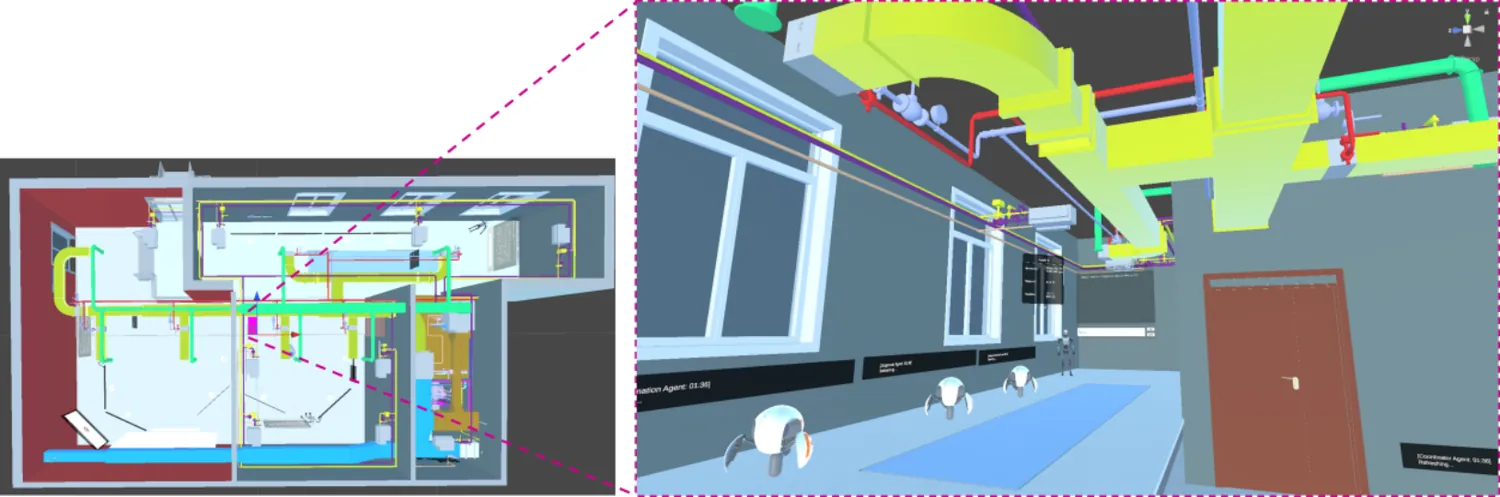
    Left: plan view of the VR model. Right: first-person view inside the BIM-MEP room environment with agents present.
    R1 ·
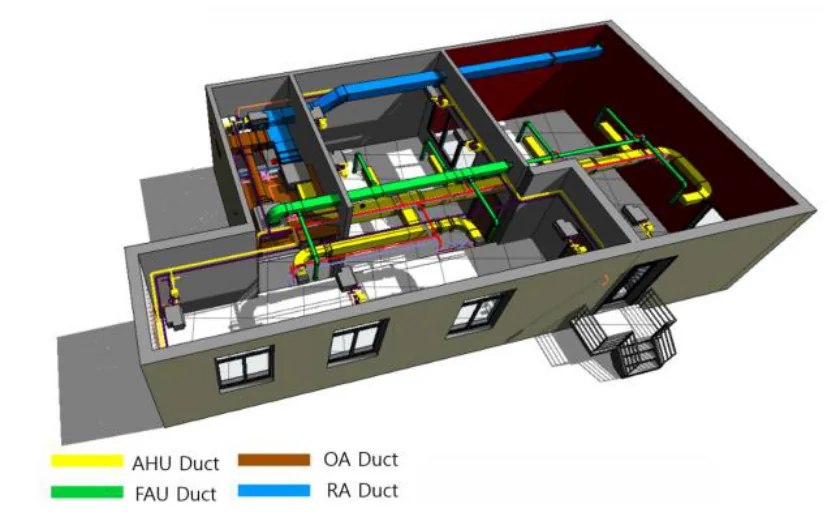
    Cutaway BIM-MEP model of the testbed showing AHU, FAU, outdoor-air and return-air duct runs in distinct colours.

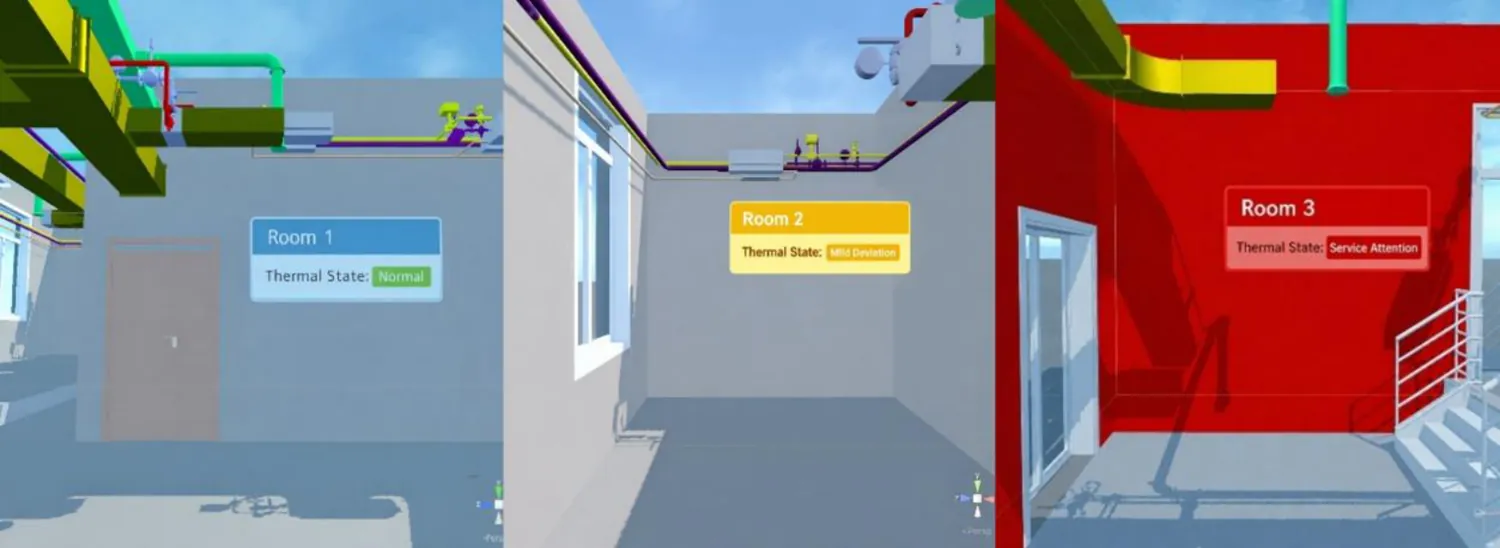
    Three rooms in VR with wall-mounted service-state indicators: Room 1 Normal in blue, Room 2 Mild Deviation in yellow, Room 3 Service Attention in red with the whole room tinted red.
    R2 ·

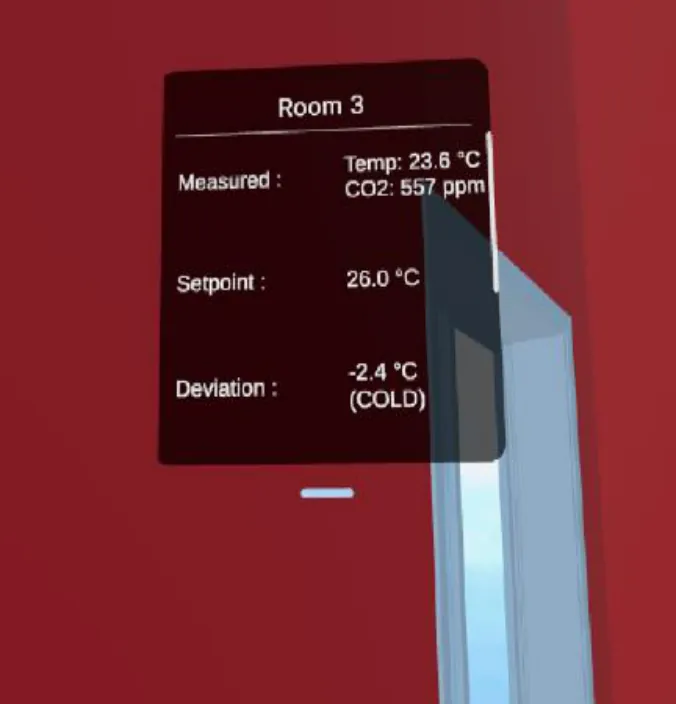
    VR room panel for Room 3 showing measured temperature 23.6 degrees, CO2 557 ppm, setpoint 26.0 degrees and deviation -2.4 degrees COLD.
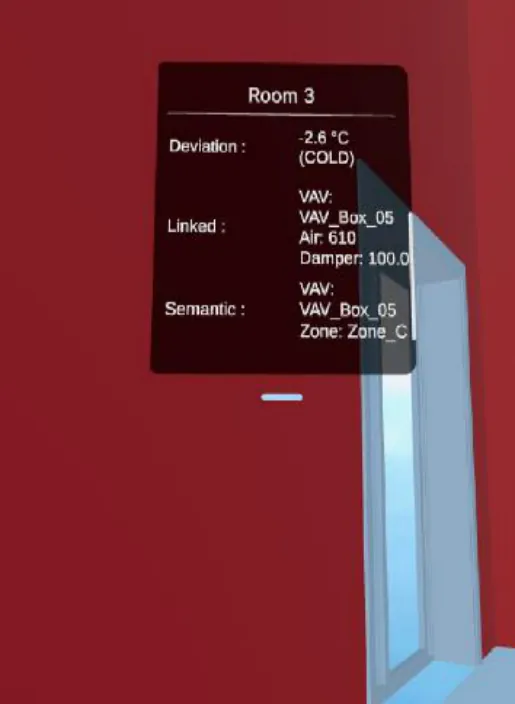
    VR room panel for Room 3 showing deviation, linked VAV_Box_05 with airflow and damper position, and semantic zone assignment.
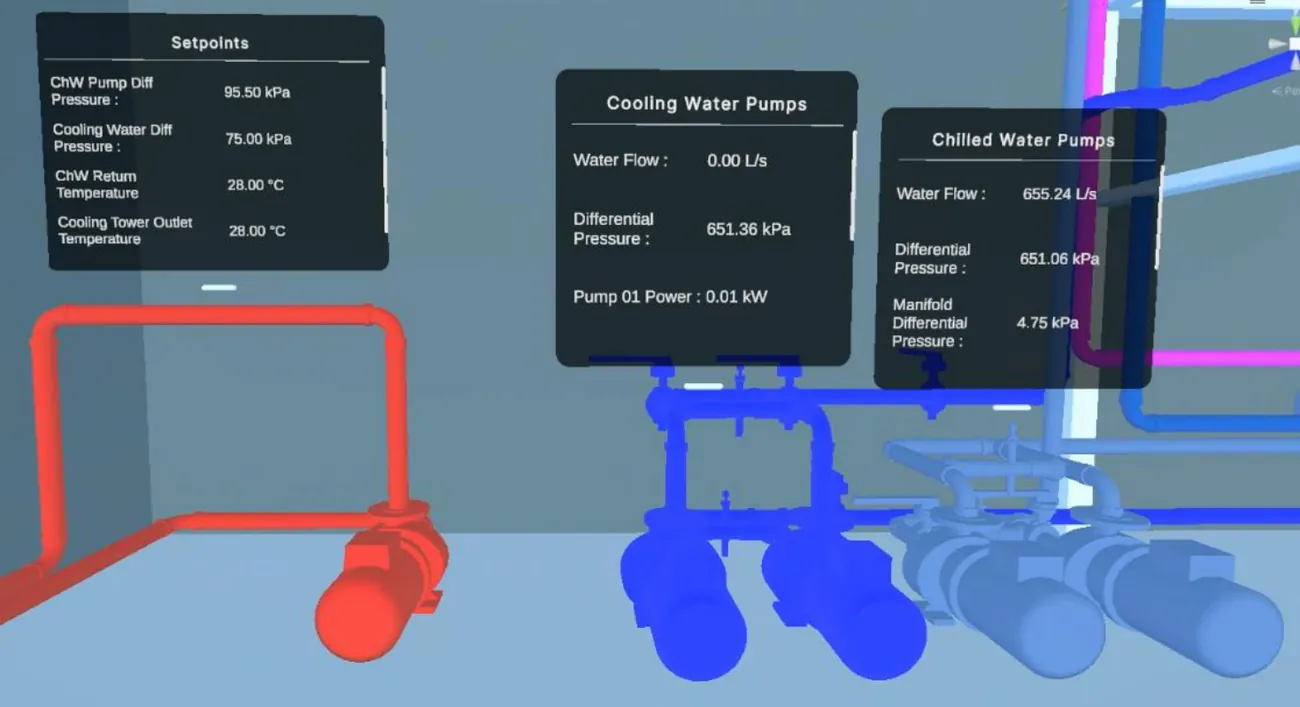
    Mechanical room in VR with floating panels beside the pumps showing setpoints, cooling water pump and chilled water pump readings.
    R4 ·

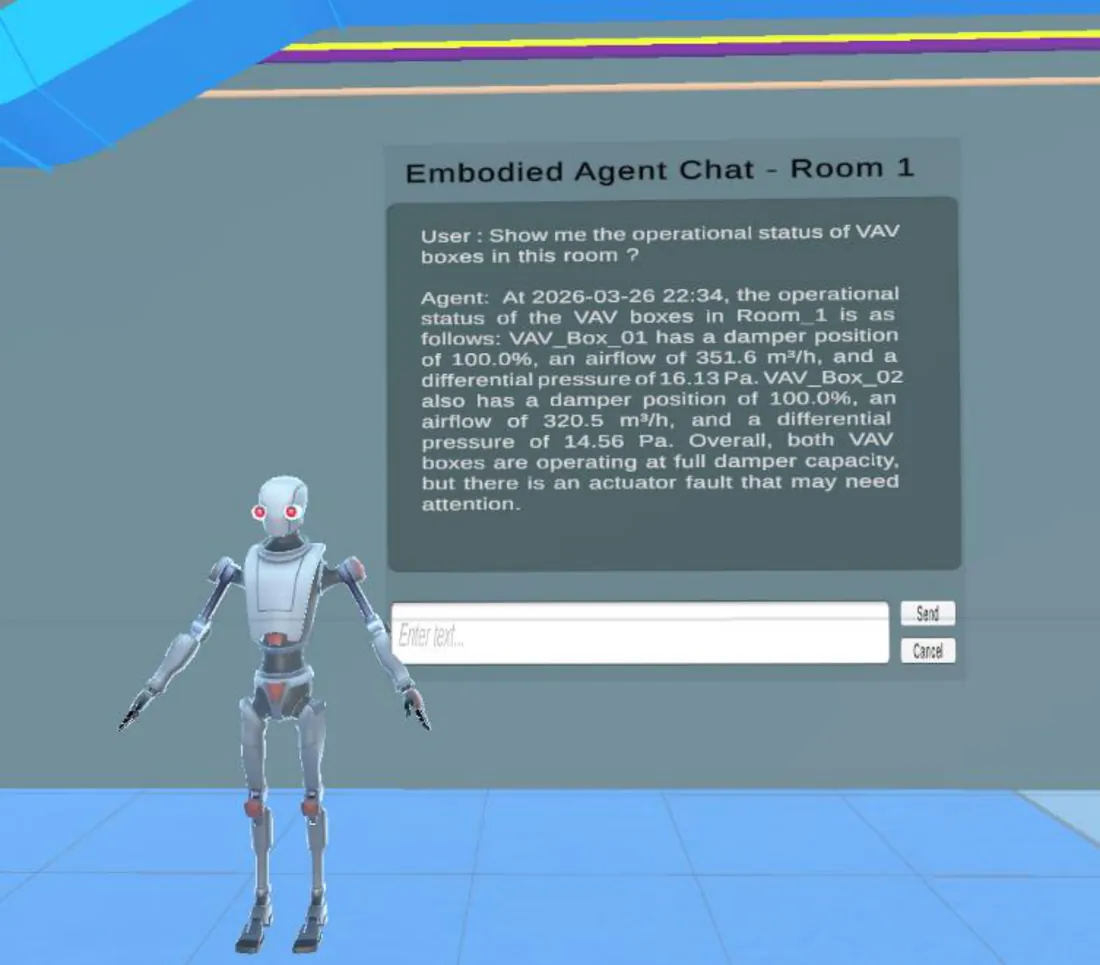
    Embodied humanoid agent in VR beside a chat panel titled Embodied Agent Chat - Room 1, answering a question about VAV box operational status with specific damper, airflow and pressure values.
    R3 ·
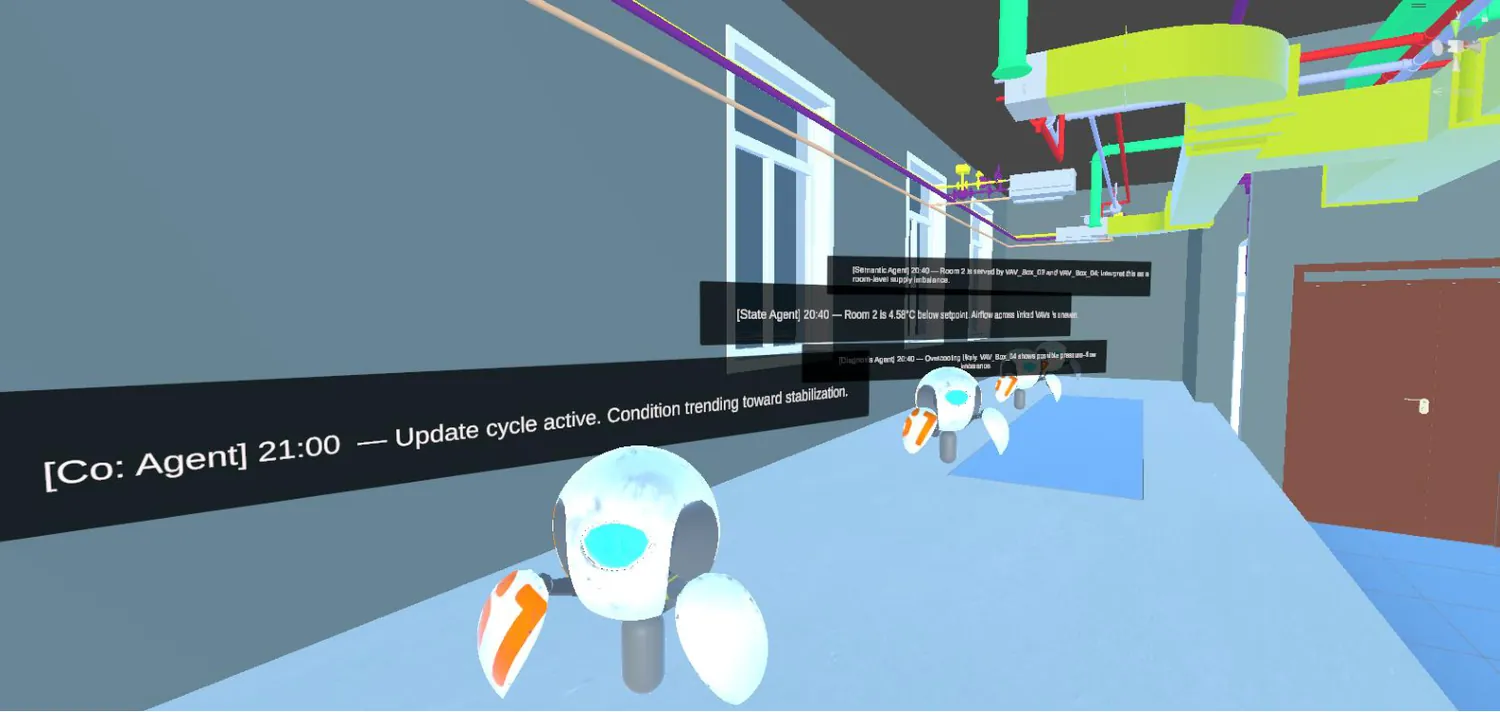
    Room 2 in VR with four floating text banners showing coordinator, state, diagnosis and semantic agent messages, each timestamped.
    R5 ·

    1
    2
    3
    • ΔT
    4
    5
    6

    01

    ··
    02

    ··
    03

    ·
    04

    ··
    HTTP(S) · JSON
    Unity
    FastAPI